An open-source Windows desktop field monitor for DJI Osmo Pocket cameras: the laptop becomes a live viewfinder with camera controls, scopes and virtual-camera output. A desktop-focused continuation of OpenPocketCine by Erik Sutton, with the Windows shell built here.
Open sourceWindows desktop maintainer2026RustDesktopVideoOpen sourceWindows desktop maintainer2026RustDesktopVideoOpen sourceWindows desktop maintainer2026RustDesktopVideo
02the story
How Pocket Monitor was built01 / 09
versionupstreamAug 2026
OpenPocketCine
The foundation is Erik Sutton's OpenPocketCine: open-source iOS and Android field monitors for Osmo Pocket cameras, built on a portable Swift core that holds the protocol and camera logic. Pocket Monitor exists because of that work.
The plan: a Rust host for Windows that reuses the Swift core through a C ABI, so the camera protocol is written once and never twice. Rust is the only ecosystem with a single Bluetooth API across Windows, macOS and Linux.
versiondirect linkSep 2026
The laptop as the viewfinder
The desktop shell stopped being a second screen for a phone and connected to the camera directly, with live picture recovery and safer GPU uploads.
versionUISep 2026
An operator chrome in Slint
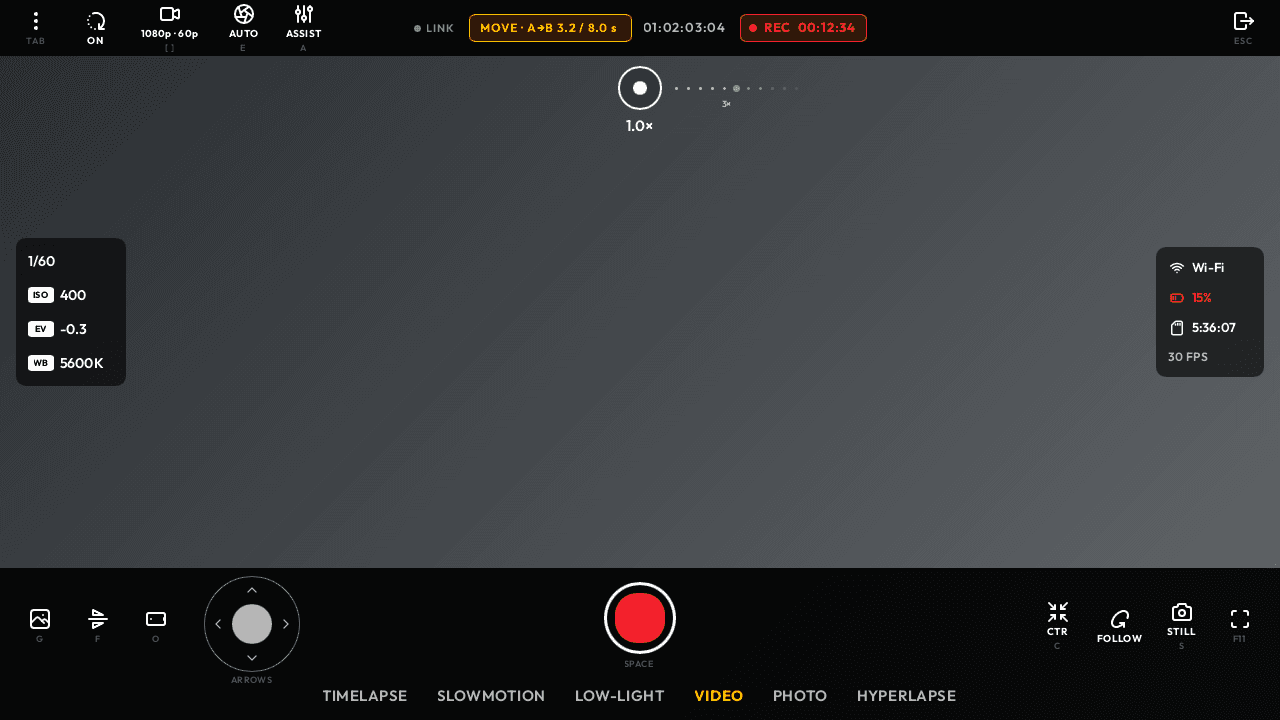
A Slint interface that replicates the phone app's controls with every button live: gimbal, zoom, record, tracking, exposure and format, driven from the keyboard or a game controller.
problemlive feedSep 2026
A picture that stays up
The live feed has to survive long takes and real hardware. Fixes went into keeping the Pocket feed active, recovering it without a decoder failure, and stabilising live presentation on AMD graphics.
breakthroughreconnectSep 2026
Back through the saved Wi-Fi
After the first Bluetooth pairing, the laptop reconnects through the camera's saved Windows Wi-Fi profile, so an operator does not need the phone again.
notescopeSep 2026
Desktop only
The retired mobile surfaces came out of this repository, the README was rebranded as Pocket Monitor, and the credits to OpenPocketCine and the people before it went in.
versionlibrarySep 2026
The operator surface
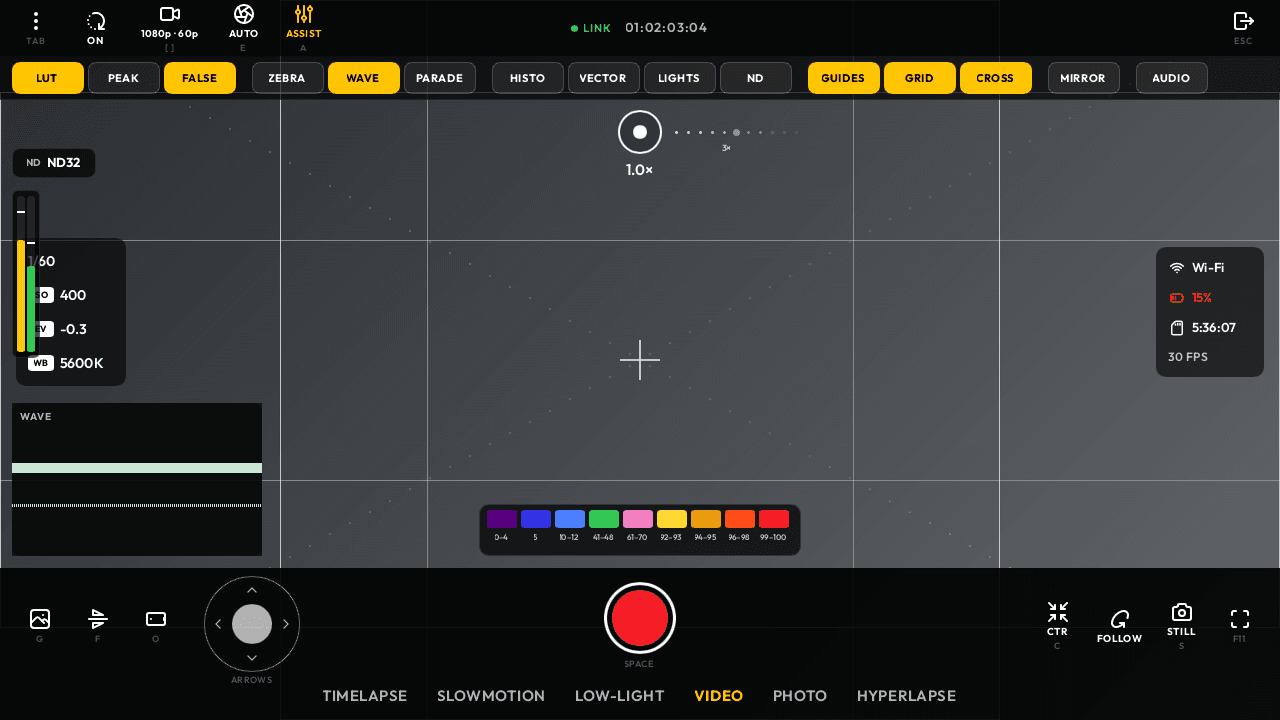
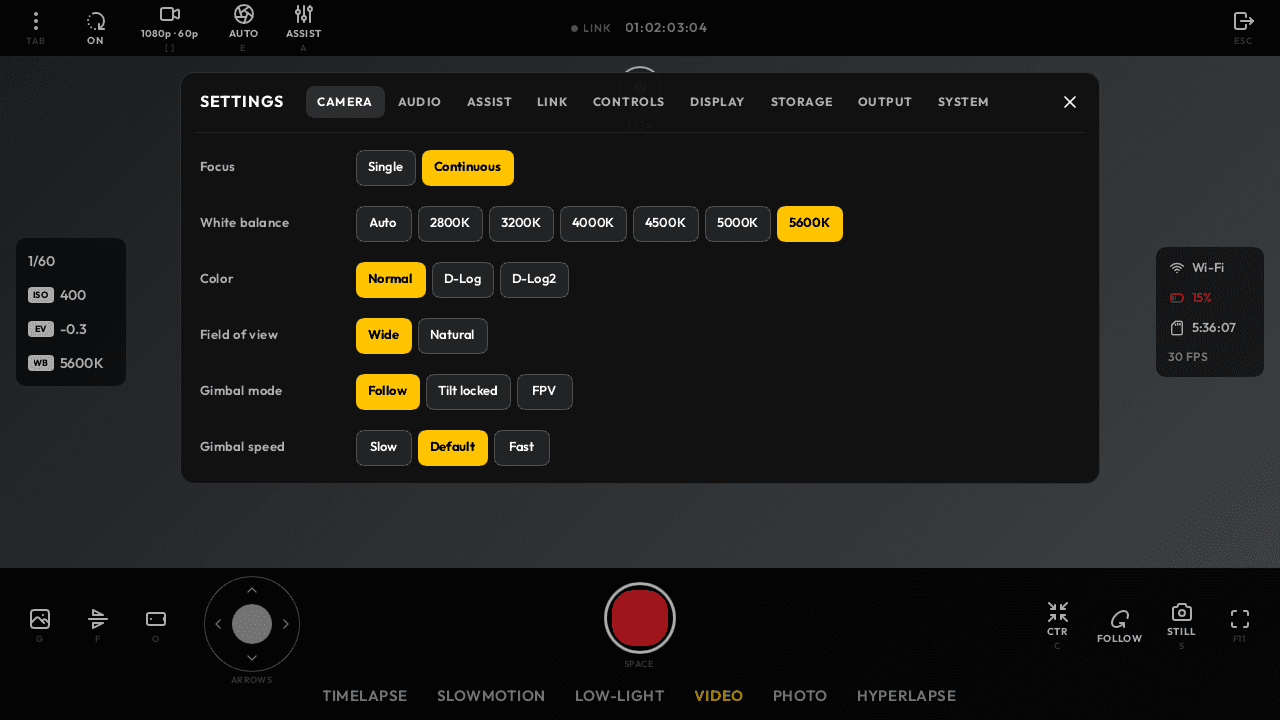
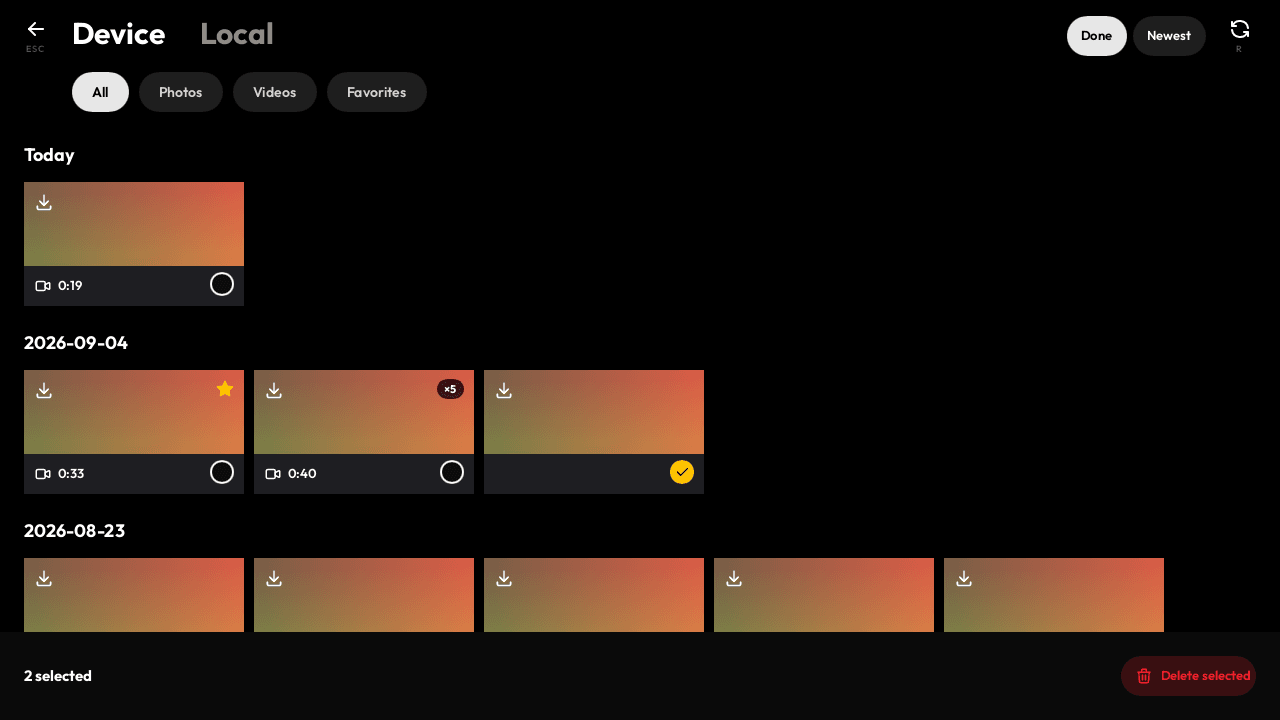
The monitoring assists, scopes, settings sheets and a media library with playback, batch delete and burst folding landed in two pull requests.
launchrelease24 Sep 2026
v0.1.0
The first Windows release: an installer and a portable ZIP with SHA-256 checksums. The binaries are unsigned, and camera, firmware and GPU coverage is still in physical validation.
The Osmo Pocket is tiny, and its phone app is the only real viewfinder. Operators want a bigger picture, keyboard and controller input, monitoring tools and a way to feed the picture into other software. Pocket Monitor turns a Windows laptop into that viewfinder and control surface, building on OpenPocketCine's open protocol work.
facts.txt
Problem
A phone is the only viewfinder for a tiny camera
Audience
Camera operators and creators
Platform
Windows first
Status
v0.1.0, in physical validation
Licence
Apache 2.0
Origin
Continuation of OpenPocketCine by Erik Sutton
04process
How I approached it
01
Build on the shared core
Framing, retry ladders, join rules and every JSON shape come from the Swift core through a C ABI. The host never re-implements the wire format.
02
Rust for the host
Rust owns sockets, discovery, decoding, drawing and the command line, with a Slint interface on top. It is also the one language with a single Bluetooth API for every desktop OS.
03
The picture is the product
Present at the camera's live rate, about 25 fps at 720p over its Wi-Fi, with the chrome and scopes riding around it at lower rates so they never starve the video.
04
Recover cheaply
A two-second silence is a stall, with grace periods after commands. The feed is re-enabled once before the link is rebuilt, instead of tearing everything down on every hitch.
05
Label what is validated
Features are marked available or in validation, the limits are listed, and the project says plainly that it is independent of DJI and not a replacement for Mimo.
05shots
A look at the app
recording
monitoring assists
camera settings
media library
06how it is different
How it is different
DJI Mimo is the official mobile companion and the right choice for firmware updates, activation and the widest support. Pocket Monitor does not try to replace it. It targets a different job: a laptop-first operator workflow.
A larger viewfinder with keyboard and game-controller input.
Scopes and assists on a desktop screen, and a virtual camera for other apps.
Local-first: after pairing, Windows reconnects directly to the camera's saved Wi-Fi.
Open source under Apache 2.0, with no subscription, ads or account.
The trade-offs are real: it is reverse engineered and still being hardened, the camera's Wi-Fi usually replaces the laptop's internet while monitoring, and firmware and account features stay in Mimo.
07stack
What it runs on
Rust workspaceTwelve crates: camera link, decode, render, UI, media, relay and virtual camera
SlintThe operator interface
Swift core + C ABIThe shared protocol and camera logic from OpenPocketCine
GLSL shadersPresenting the picture and the monitoring overlays
VulkanGPU upload and presentation
Media FoundationThe Windows 11 virtual camera
Inno Setup + PowerShellThe installer and release packaging
08challenges
What got in the way
the problem
There is no public SDK. The camera speaks its own protocol over Bluetooth and Wi-Fi.
so →
fix.md
The protocol work is independent and comes from the open OpenPocketCine core. No DJI SDK is bundled, and the project states clearly that it is not affiliated with DJI.
the problem
A Swift protocol core has to work inside a Rust application.
so →
fix.md
A thin C ABI facade exposes the core, with fixed-layout records both sides agree on, so there is one implementation of the protocol.
the problem
The live picture froze or went black after a few minutes, and on some graphics hardware it presented badly.
so →
fix.md
A stall watchdog with grace periods, a single re-enable before rebuilding the link, safer staging of GPU uploads, and a fix for AMD live presentation.
the problem
The camera's Wi-Fi replaces the laptop's internet, and re-pairing every session is tedious.
so →
fix.md
Pair once over Bluetooth, then reconnect through the saved Windows Wi-Fi profile.
the problem
Windows binaries are unsigned and SmartScreen warns about them.
so →
fix.md
The release notes say so, and every installer and ZIP ships with a SHA-256 checksum.
Pocket Monitor v0.1.0 is released for Windows as open source. These numbers describe what was built. It is still being validated against real cameras and firmware.
10lessons
What I learned
Credit the people before you, and say clearly what is theirs and what is new. The project reads better for it.
Keep one implementation of the protocol. Sharing the core meant fixes landed once for every platform.
A live video app lives or dies on recovery. A calm watchdog beats rebuilding the link on every hiccup.
Say what is validated. Labelling features "in validation" is honest and sets the right expectations.
11notes
Pocket Monitor: a real monitor for a tiny camera
Windows-first and in physical validation. An independent project, not affiliated with or endorsed by DJI. Built on OpenPocketCine by Erik Sutton.
See the project
Open source under Apache 2.0. Verify recording state on the camera body until you have proven your setup.
A social workspace for short-form video creators: plan ideas, develop them into scripts, design and schedule posts across X, Instagram, Threads, TikTok, YouTube, LinkedIn and Facebook, and learn from your own videos. An API and two MCP servers let agents run the same workflows. In public beta.
say-hi.txt
Want something like Pocket Monitor?
Tell me what you're making and I'll tell you how I'd build it.